Your WordPress site deserves a real Mac app.

Write, edit and publish to your self-hosted WordPress site from a native Mac app, without opening the WordPress admin.

FreemacOS 27 on Apple SiliconSelf-hosted WordPress 7+Notarized by Apple

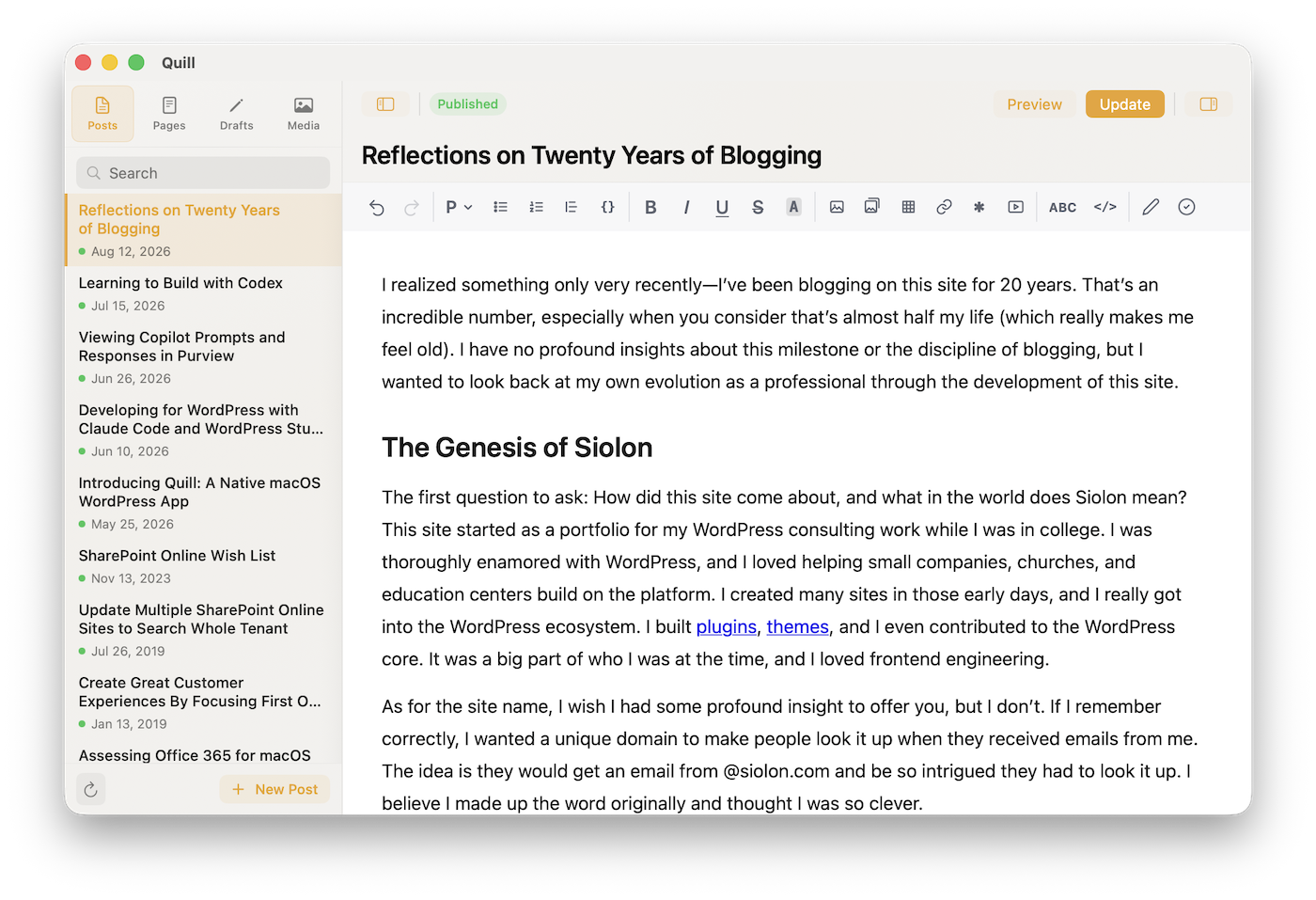
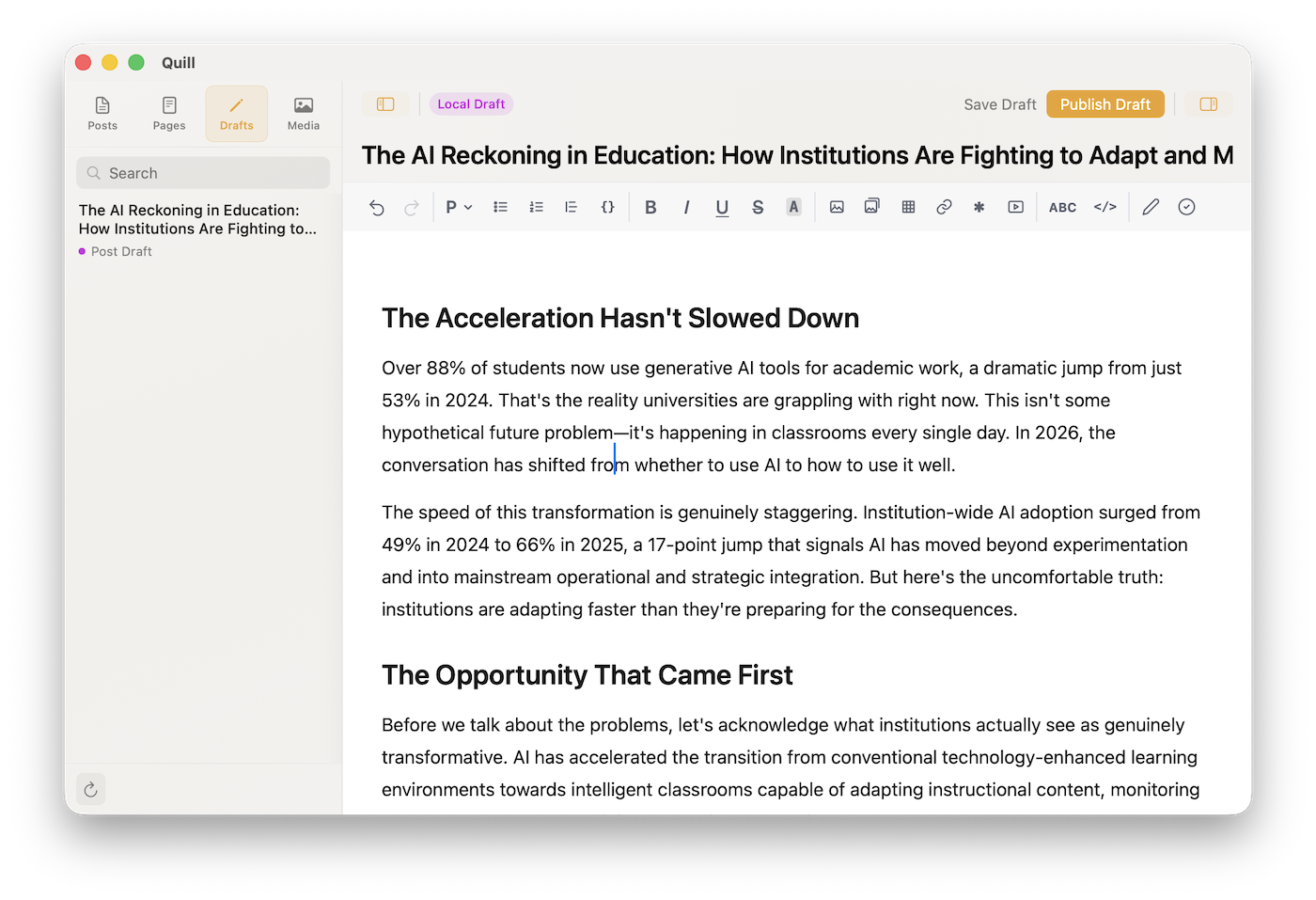
Quill's editor showing a post's title, the formatting toolbar and body text

Editor

A full-featured editor.
No browser required.

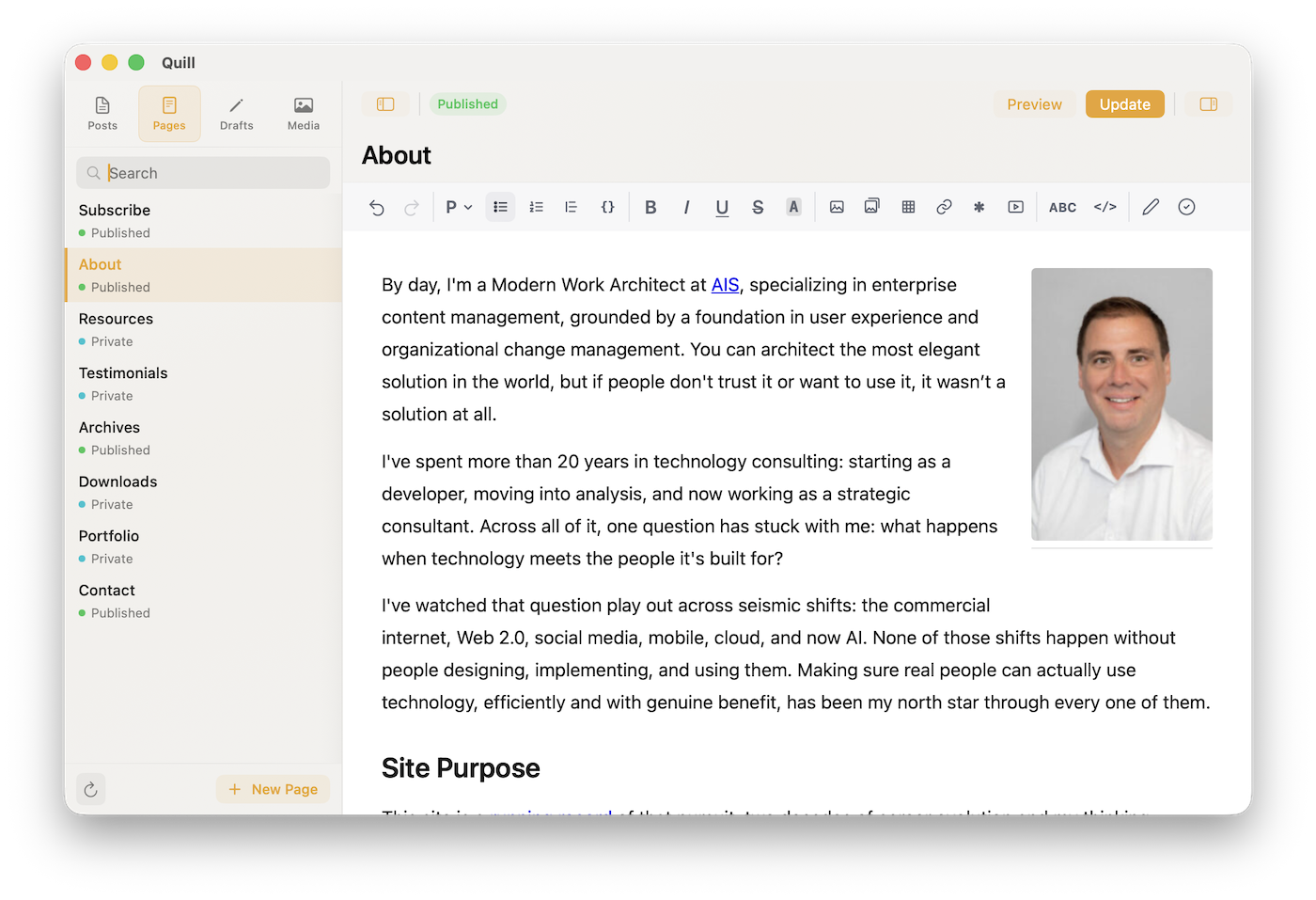
Write posts and pages with headings, lists, tables, images, galleries, footnotes and embeds. WordPress blocks like Columns, Tabs and Accordion work like the rest of your text, and posts save in the same block format as the WordPress editor, so you can switch between the two.

Blocks

  • Set a block's options, like the tab that opens first
  • Colors, font sizes and block styles set in WordPress are kept
  • Blocks Quill can't edit save back unchanged
  • Quill warns you before a save that would lose anything

Bring Your Work

  • Paste a Markdown draft, or type Markdown as you write
  • Paste from Google Docs/ Word with clean blocks and pictures uploaded
  • Drag photos from Finder or paste a screenshot, and they upload
  • Paste a YouTube, Vimeo or Spotify link on its own line to embed it
Quill editing an Accordion block, with the block's settings row under the toolbar

AI Writing Assistant

Review and rework
your writing with Claude.

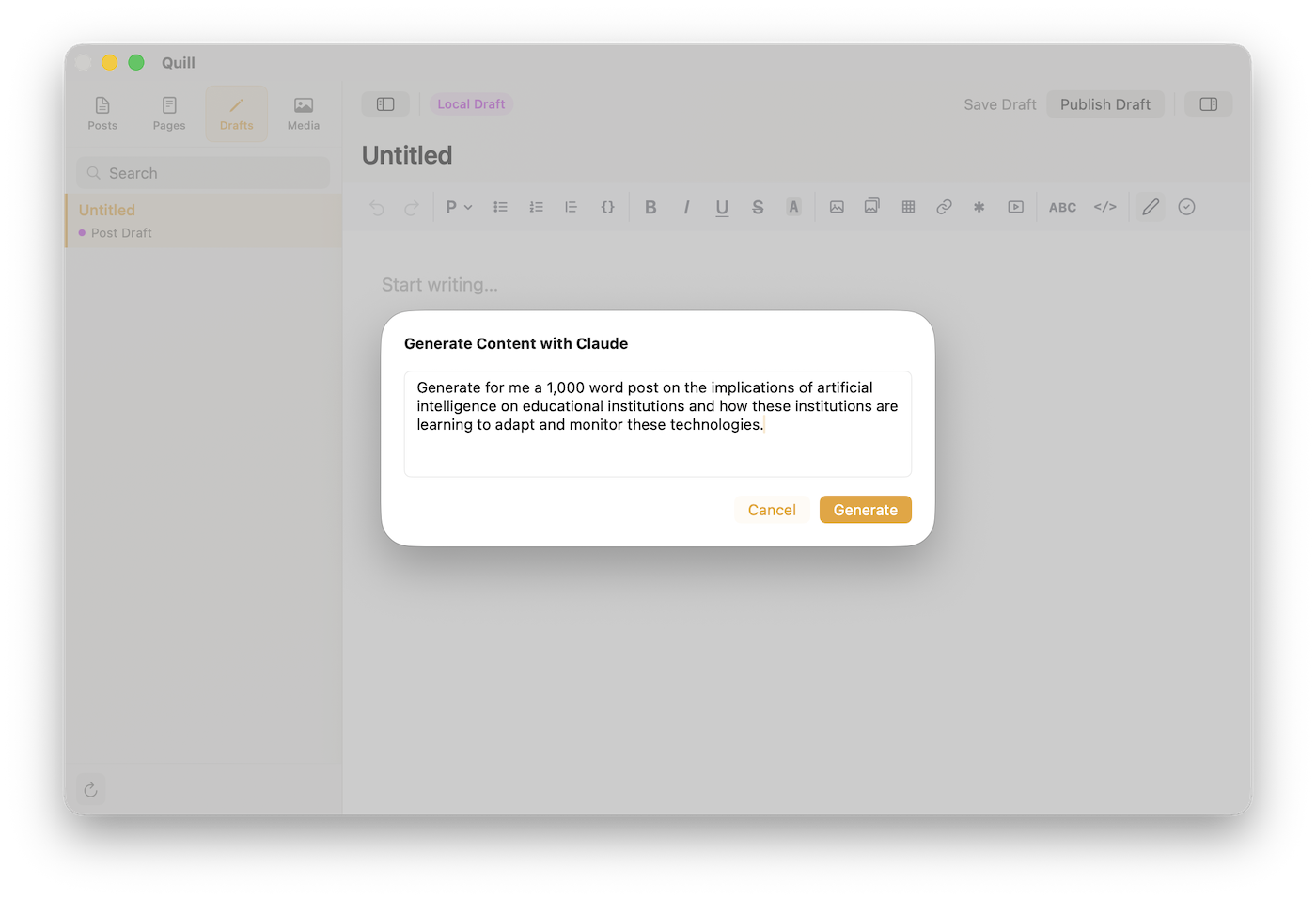
Evaluate a post to see what works, the few changes that would improve it most, and a list of specific fixes. Select any passage to rework it in place. The AI features are optional and use your own Anthropic API key; without one, you won't see them.

  • Fixes for spelling, grammar and word choice, ideas for clarity and wordiness, and fact checks when web search is on
  • Make a selection longer or shorter, rephrase it, fix its grammar, or turn it into a table or list
  • Learns your style from up to five of your posts
  • Generate a full draft from a prompt when you want a starting point
Quill's Evaluate panel reviewing a post

Offline Writing

Write offline. Publish when you're ready.

Drafts stay on your Mac until you send them, so you can write without a connection. Quill autosaves every 30 seconds, brings back unsaved changes the next time you open it, and warns you if the post was changed in WordPress while you were editing.

Quill showing a local draft with the Save to WordPress button in the toolbar

Media Library

Your media library, right there.

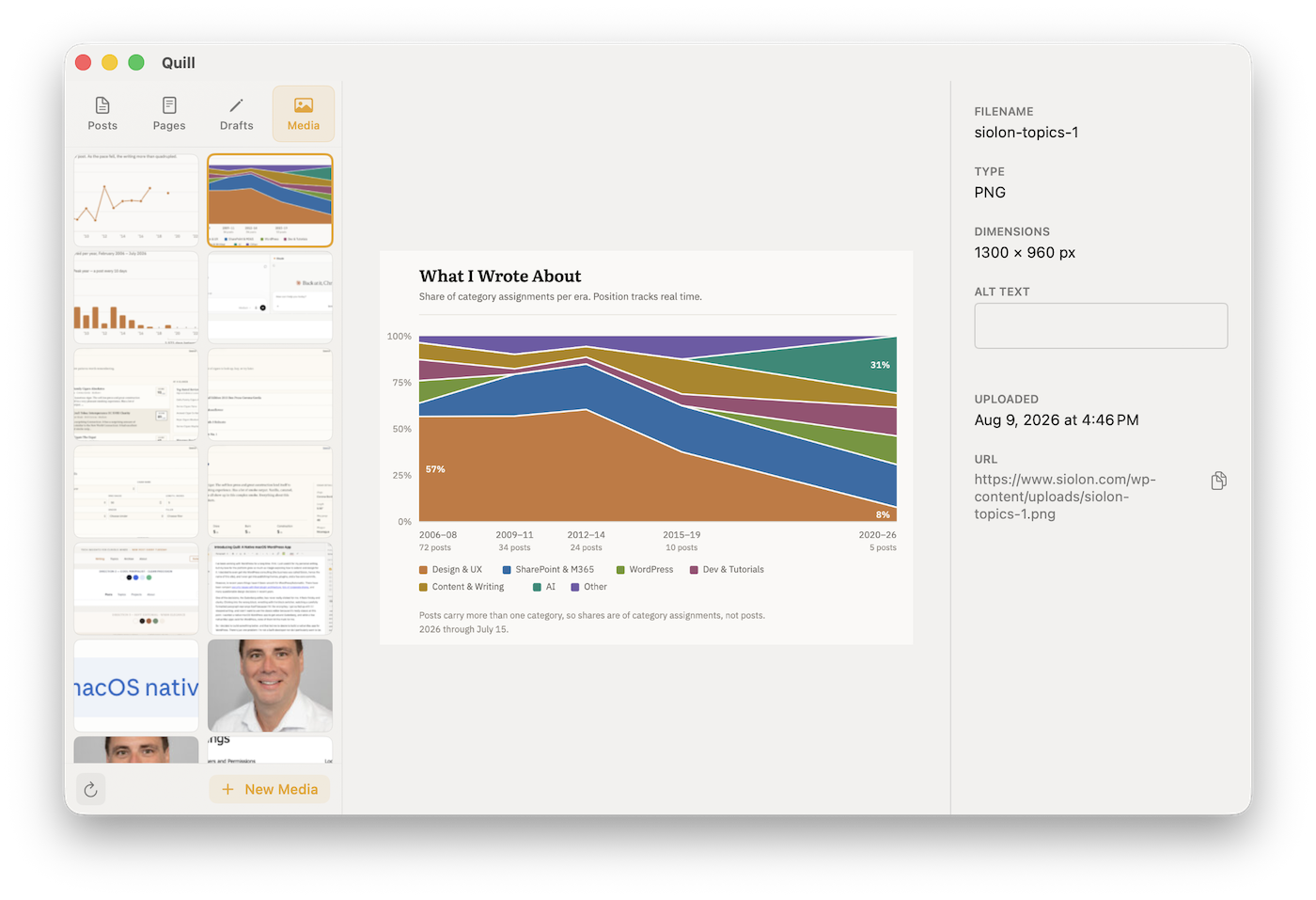
Browse every image, document, video and audio file on your site without opening the WordPress admin. Filter by type, upload new files, edit alt text and copy a file's URL. iPhone HEIC photos are converted to JPEG when you upload them.

Quill media library previewing an image, with its file details in the inspector

Also in Quill

Footnotes
Saved the way WordPress stores them, so they show up in your theme.
Word count
Words, characters and reading time update as you write.
Featured images
Set, replace or remove one from Post Settings.
Status filters
Show only published, draft, scheduled, pending or private items.
Find and replace
Search the post you're editing and replace one match or all of them.
Link search
Type a title to link to one of your posts, pages, categories, tags or media files.
Preview
Open the post in your browser to see it in your site's theme before you publish.
Code view
Edit a post's HTML directly when you need to.
Keyboard shortcuts
Save, publish and preview without leaving the keyboard.

What you need

  • macOS 27 (Golden Gate) on Apple Silicon

    Quill will not launch on earlier versions

  • Self-hosted WordPress 7+

    May work in older versions but not tested

  • WordPress.com is not supported

    Quill uses the self-hosted REST API

  • HTTPS required

    The app requires HTTPS to connect

Up and running in minutes

  1. Download and unzip

    Download the ZIP, unzip it, and move Quill.app to your /Applications folder.

  2. Connect your site

    Open Quill and enter your site's address. WordPress opens in your browser and asks you to approve the connection; click Yes, I approve of this connection. There's no application password to create. If your site turns browser approval off, Quill asks for an application password instead.

  3. Add a Claude API key (optional)

    Create a key in the Claude Platform dashboard. Quill offers to add it right after you connect, or you can add it later in Settings.

Quill app icon

Quill is free to use.

No account, no subscription, no plugin on your site.

Quill in one minute

What the video shows
  1. A full editor. No browser. A post is written with a heading from the toolbar and an Accordion block.
  2. Drop in a photo. It uploads. A photo dragged from the Finder uploads into the post, then appears in the media library.
  3. Review it with Claude. A paragraph is shortened in place, then Claude evaluates the whole post.
  4. Write offline. Publish when you’re ready. The local draft is saved to WordPress and moves to the Posts list.
  5. Categories, tags, featured image. They are set in Post Settings, and the post is published.

The video has music and interface sounds, and no narration.